
Your AI video command center for macOS
Organize channels, manage assets, generate hooks and scripts, create subtitles, voiceovers, thumbnails, and export publish-ready short-form content from one Mac workspace.
ChannelsAssetsAI ToolsSubtitlesVoiceoversThumbnailsExports
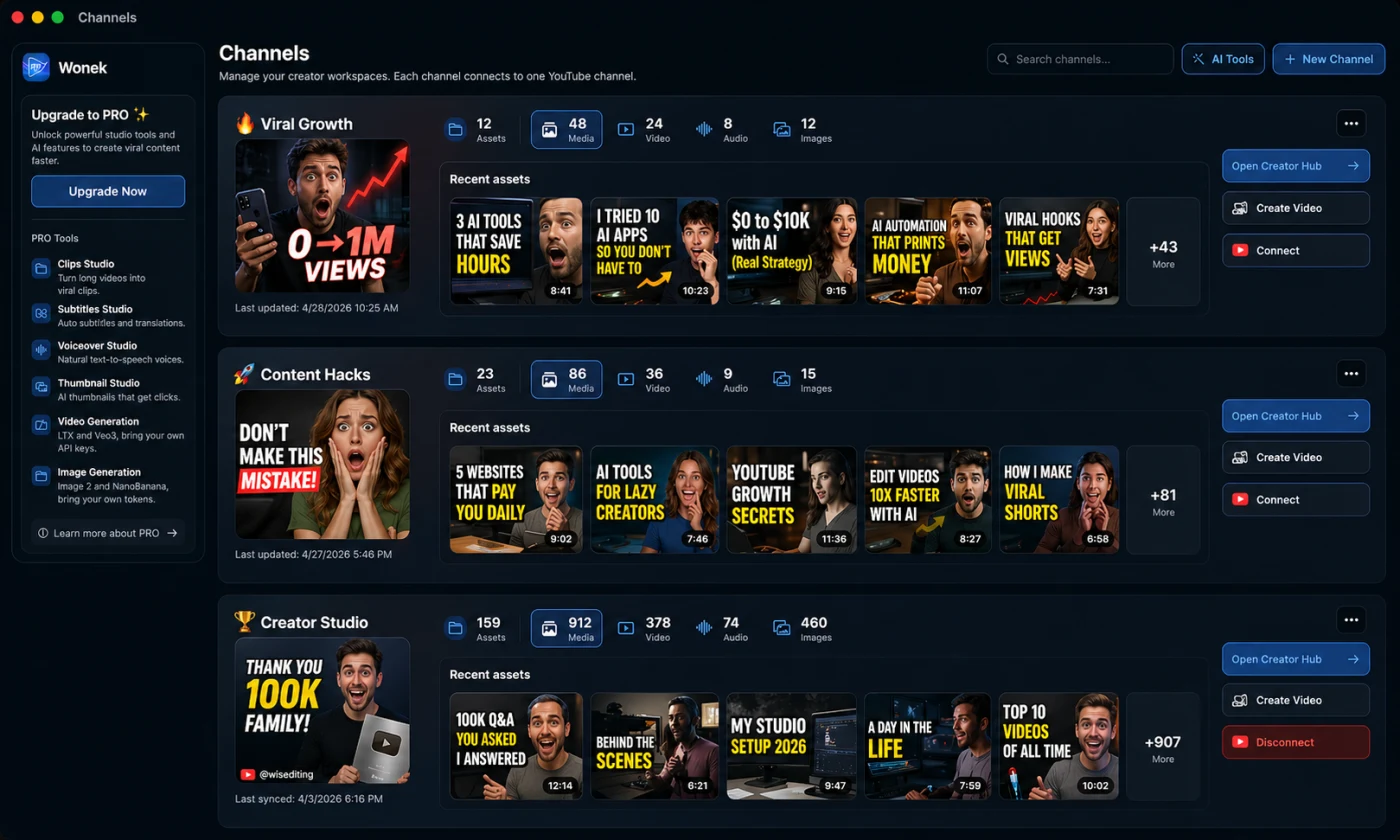
Everything you need before you post
Plan, generate, organize, polish, and export short-form content without leaving your Mac workspace.
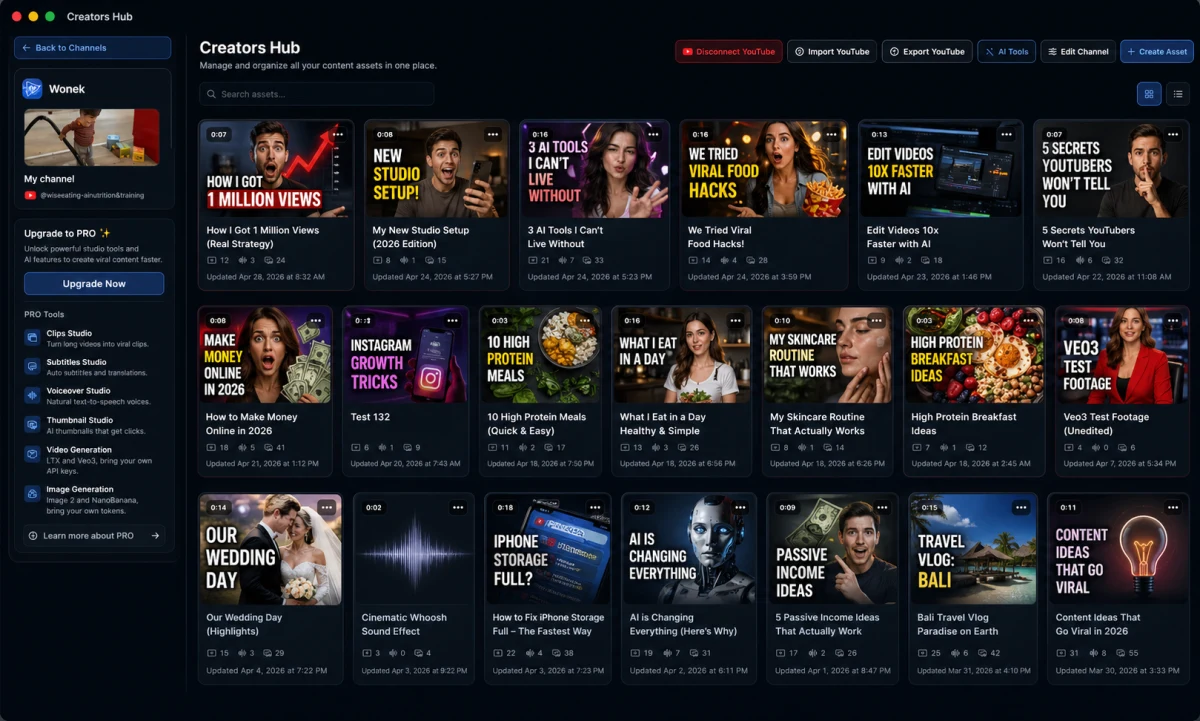
Creator Channels
Turn each channel into a workspace for assets, scripts, videos, thumbnails, and publishing context.
AI Video Studio
Generate hooks, scripts, captions, creative briefs, and production-ready directions from product context.
Asset Library
Keep raw clips, product shots, reference videos, screenshots, voiceovers, and exports organized.
Subtitle & Voiceover Tools
Prepare readable captions, subtitle styles, voiceover reads, and narration directions.
Thumbnail Studio
Create visual hooks and thumbnail concepts inspired by high-retention short-form patterns.
Export & Publishing Prep
Prepare platform-ready versions for Reels, Shorts, X, and team handoff.
Channels
Every creator channel gets its own operating system
Each channel stores assets, videos, scripts, thumbnails, AI outputs, and publishing context so every content goal has a focused workspace.
↗
Viral GrowthShort-form experiments, viral hooks, channel assets
12Assets
48Media
24Videos
8Audio
#
Content HacksScripts, tutorial cuts, thumbnail ideas
23Assets
86Media
36Videos
▶
Creator StudioCreator hub, voiceovers, exports, publishing prep
199Assets
912Media
378Videos
AI creation
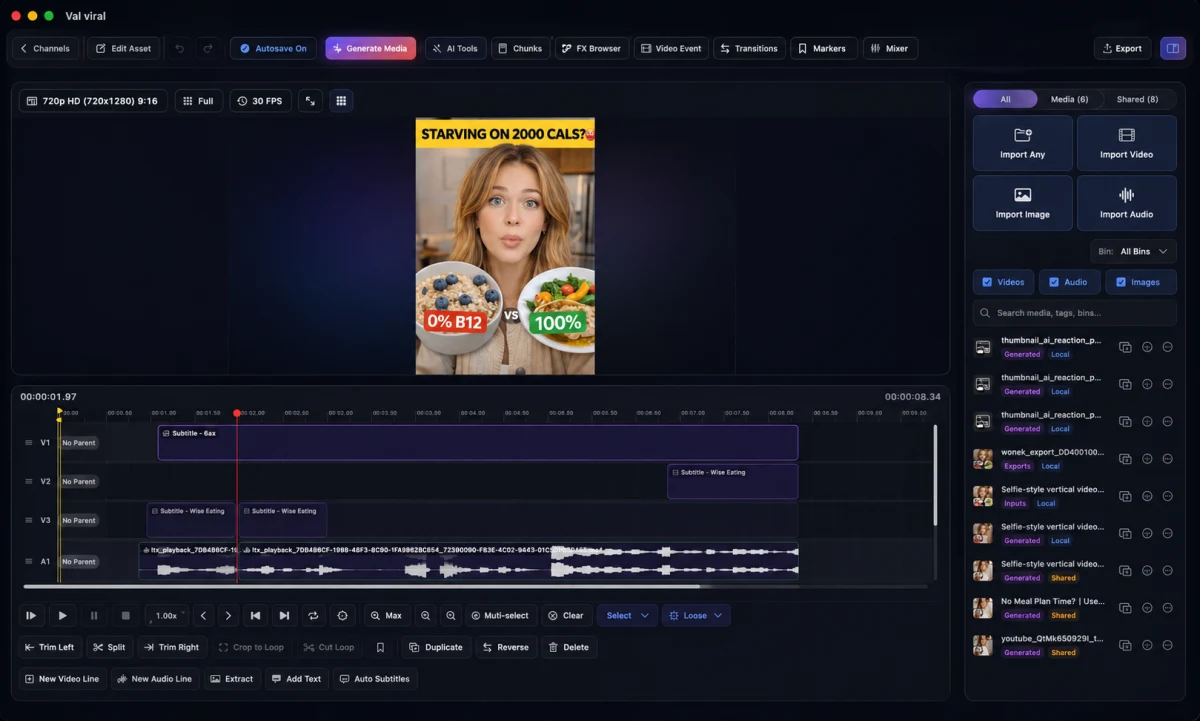
Generate the creative building blocks for short-form video
Wonek helps turn product context into production-ready creative directions.
Hooks & scripts
Draft the first three seconds, creator reads, proof moments, and soft CTAs.
Captions & CTAs
Create platform-native post copy, caption ideas, and action prompts.
Briefs & shot lists
Turn product context into talking points, shot requirements, and safe wording.
Thumbnails & voiceovers
Shape visual hooks and narration directions before you edit or export.
Workflow
From raw idea to publish-ready assets
Move from channel context to generated scripts, polished assets, organized exports, and platform-ready versions.
Start with a channel, product, or campaign idea.
Create hooks, scripts, captions, and fresh creative angles.
Add subtitles, voiceover notes, and thumbnails.
Organize platform-ready files for every social feed.
Send final versions to channels, clients, or teams.
Built for social-first work
Built for creators, brands, agencies, and social-first teams
Wonek App gives every content operator a single place to produce, organize, and prepare short-form assets.
Organize channels, scripts, thumbnails, and exports without building a messy folder system.
Keep assets, briefs, captions, and publish-ready versions aligned across every channel.
Turn product context into reusable briefs, edit notes, and client-ready exports.
Generate app-focused hooks, demos, captions, and short-form launch assets faster.